A classroom that
keeps working when
the internet stops.
Skolar puts an AI tutor, 130+ STEM and digital-skills courses and a full exam simulator on the device itself. No data plan, no school server, no excuse for a laptop programme that stops working in term two.
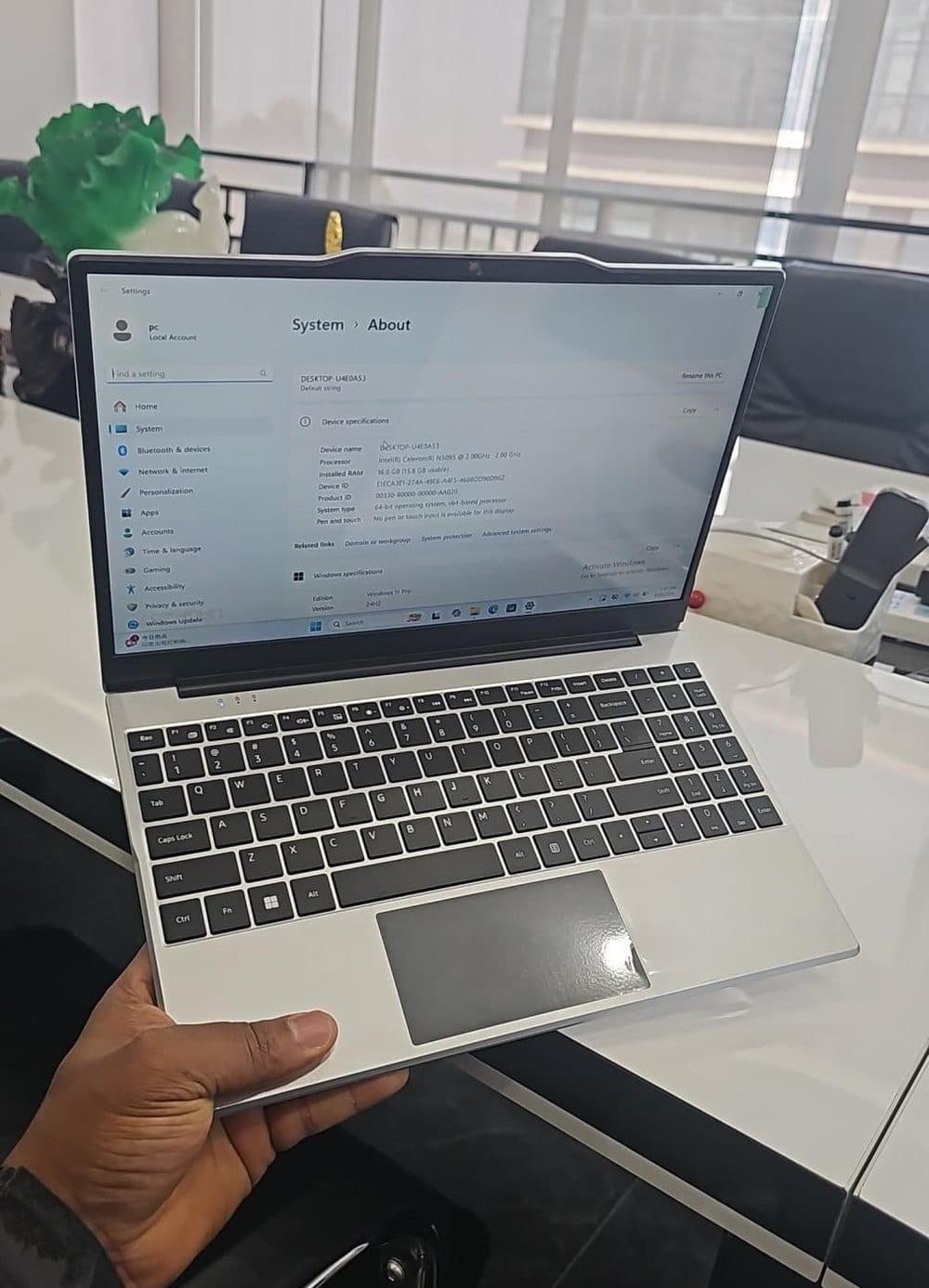
The Kotlead Laptop — built for classrooms, shipped with Skolar pre-installed.
Laptops and tablets to reach Nigerian students and teachers under the UBEC–DLN agreement.
UBEC MoU, 2025Projected African EdTech market by 2034, compounding at 11.33% a year.
Africa EdTech TAMSTEM and digital-skills courses already on the platform through our GetBundi partnership.
Live todayWalk through it
before you fund it.
Real screens from the desktop app. Cut the connection and keep clicking — nothing on this page is calling a server.
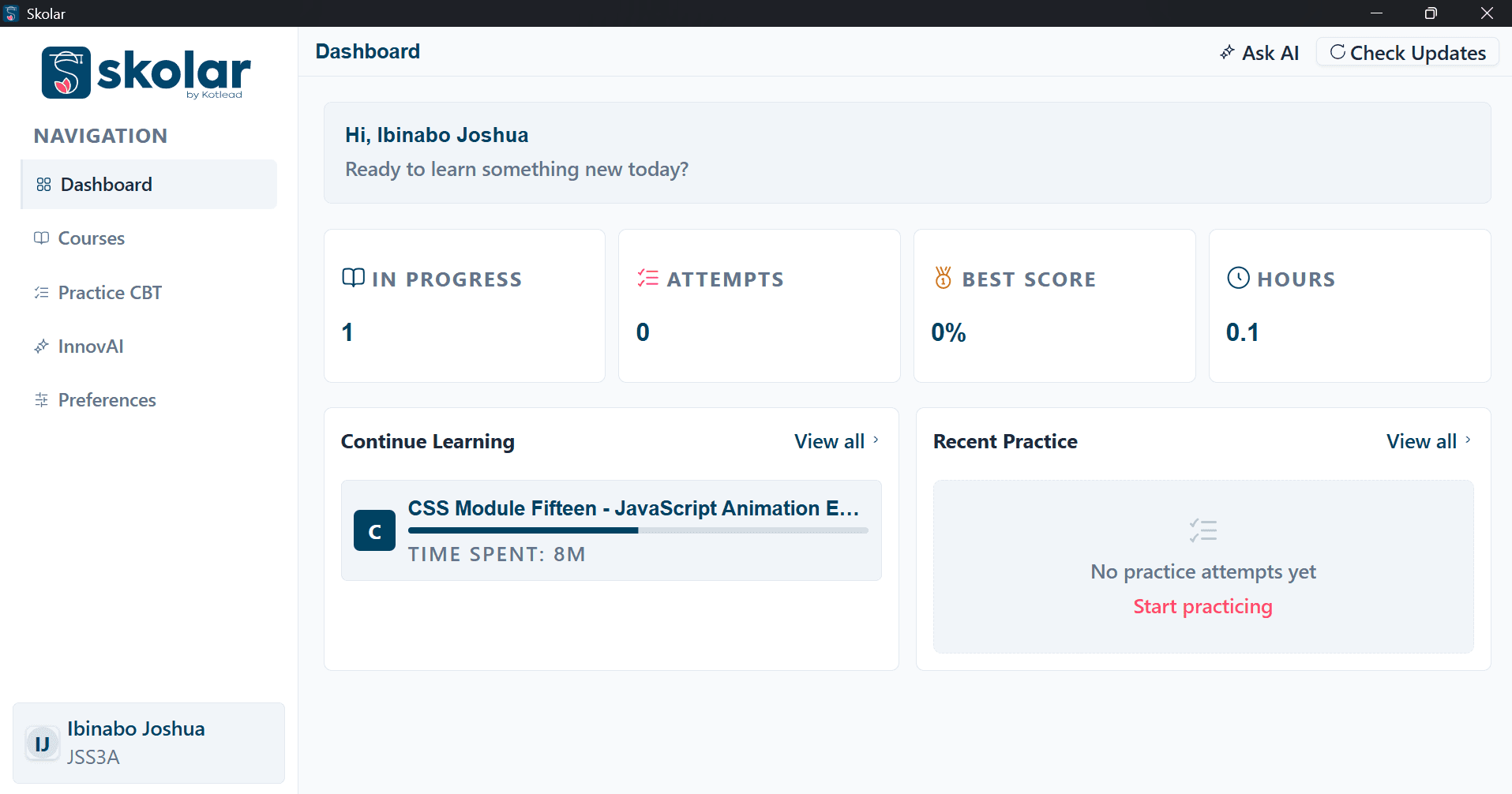
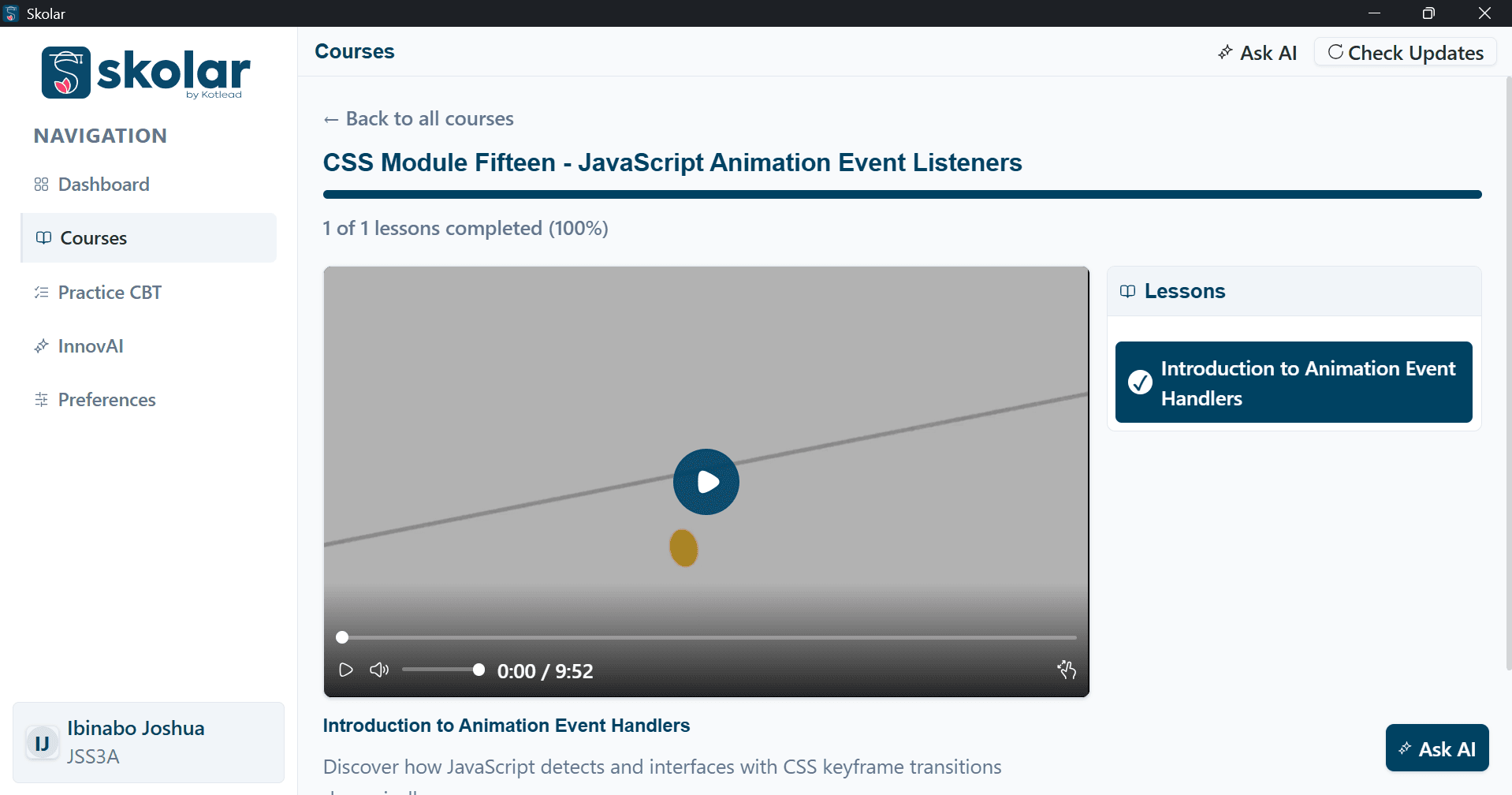
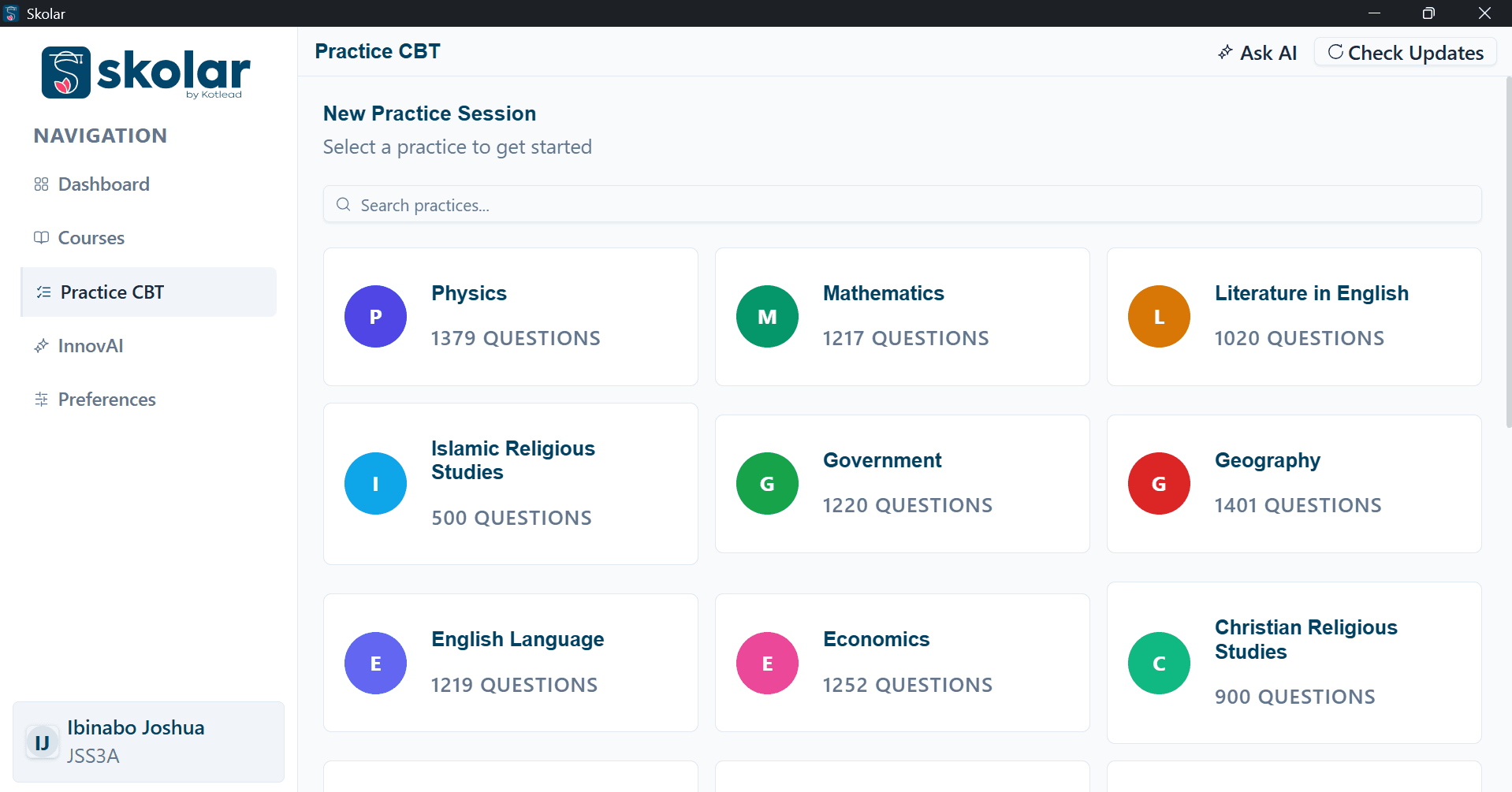
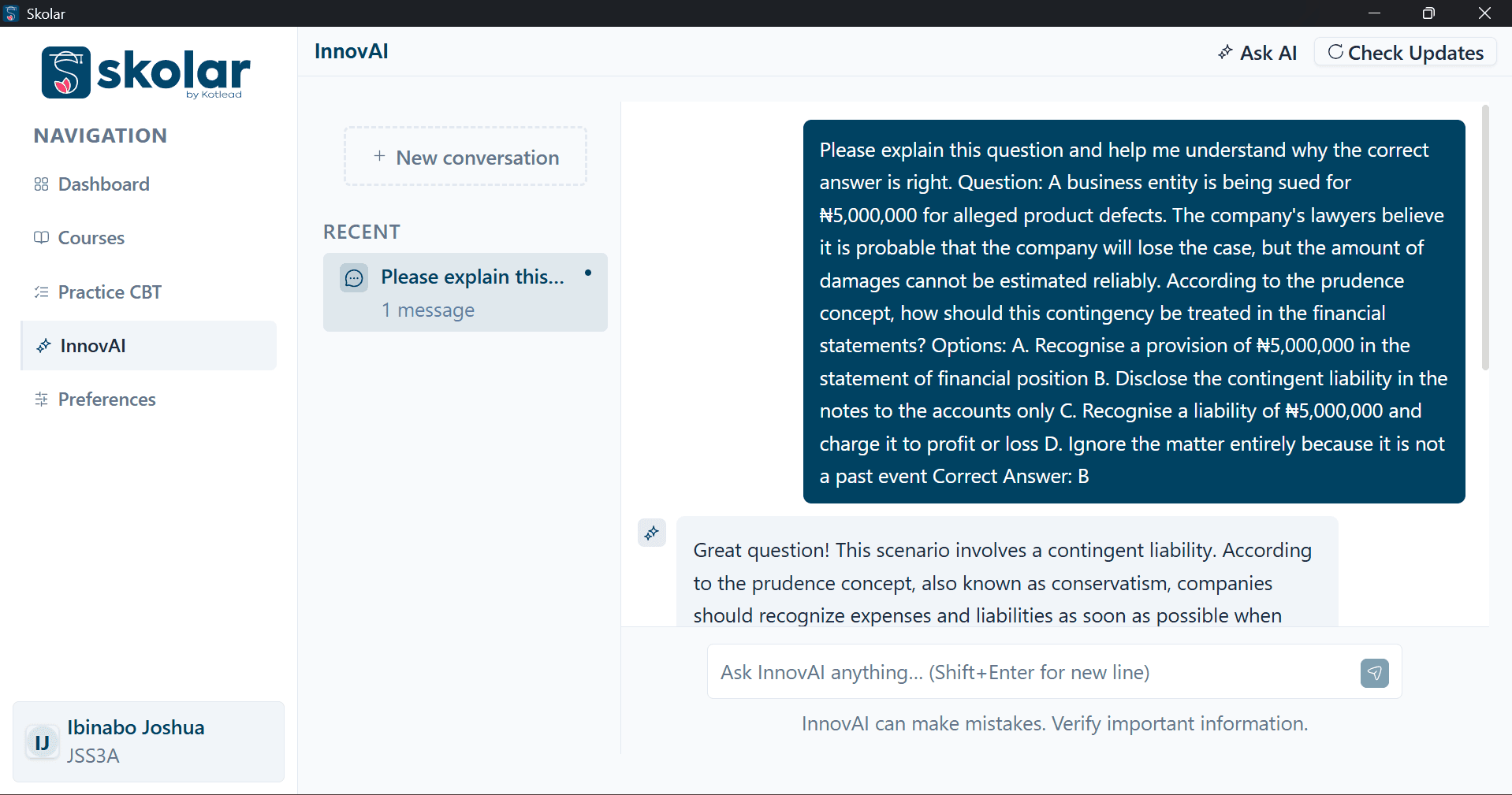
Every course, question and model on this screen is stored on the laptop.
A tutor that lives on the laptop
InnovAI is a local language model. Students ask questions, get explanations and revise lessons with no connection — and nothing they type leaves the device.
Exam practice that feels real
Timed CBT replicas across 18 subjects — over 15,000 questions, instant scoring, and analytics on the topics a student keeps missing.
Courses that download once
Video lessons and STEM modules sync when a connection appears, then stay on the device for as long as the programme runs.
Updates you push, not chase
New courses, question sets and model improvements arrive over the air the next time a laptop sees any network at all.
The device is part
of the curriculum.
Skolar ships pre-installed on hardware we specify ourselves. Study Mode locks the machine to approved learning apps, firmware-level controls keep it that way, and KDMS manages thousands of them from one screen.
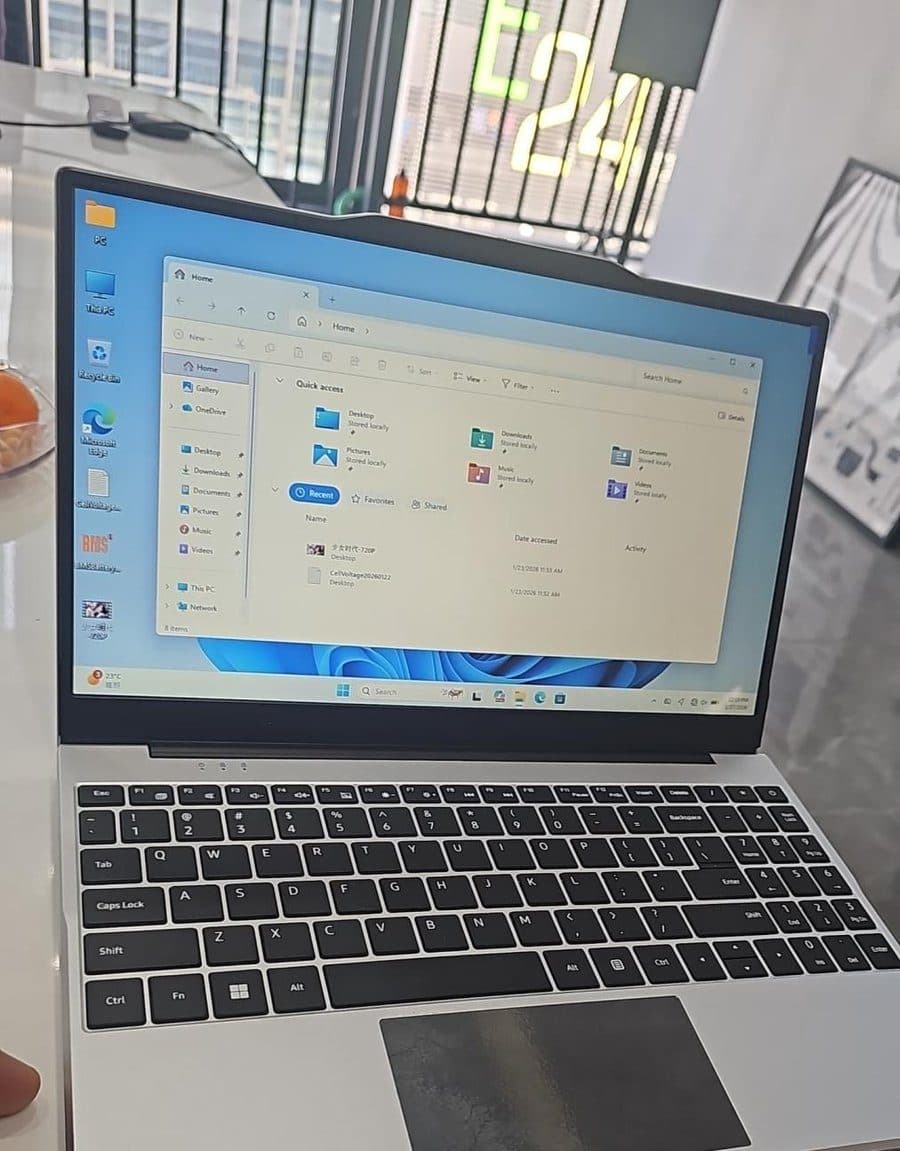
- Intel Celeron N5095
- Quad-core, 2.00 GHz
- 16GB RAM
- Runs the local AI model comfortably
- 256GB SSD
- Courses, videos and question bank on board
- Windows 11 Pro
- Domain-joinable, 64-bit
- A full school day
- 4000mAh on a single charge
- 1.2kg, reinforced
- Dual-band Wi-Fi for sync and local hosting
Study Mode
Turns the laptop into a learning device. Only approved apps stay available, and only an administrator can unlock it.
KDMS
Register every device in a deployment, push content and policy, and see which machines are actually being used.
Productivity built in
Documents, spreadsheets and presentations, so the same machine carries a student through coursework and exams.
The laptop enforces
its own rules.
A distraction policy only works if the device holds it, not the student. Study Mode is that enforcement layer — set once by a school or a parent, applied every school day without anyone opening a settings menu.
Blocked apps and sites, by name
Games, chat apps and social sites go on a list — discord.exe, tiktok.com — and stay off the machine for as long as a session runs.
Scheduled, not toggled
School Hours turns Study Mode on automatically, Monday to Friday, 08:00 to 14:00. No one has to remember to switch it on.
Locked to a guardian password
A session can be extended but not cut short. Ending one early needs the password a teacher or parent holds, not the student.
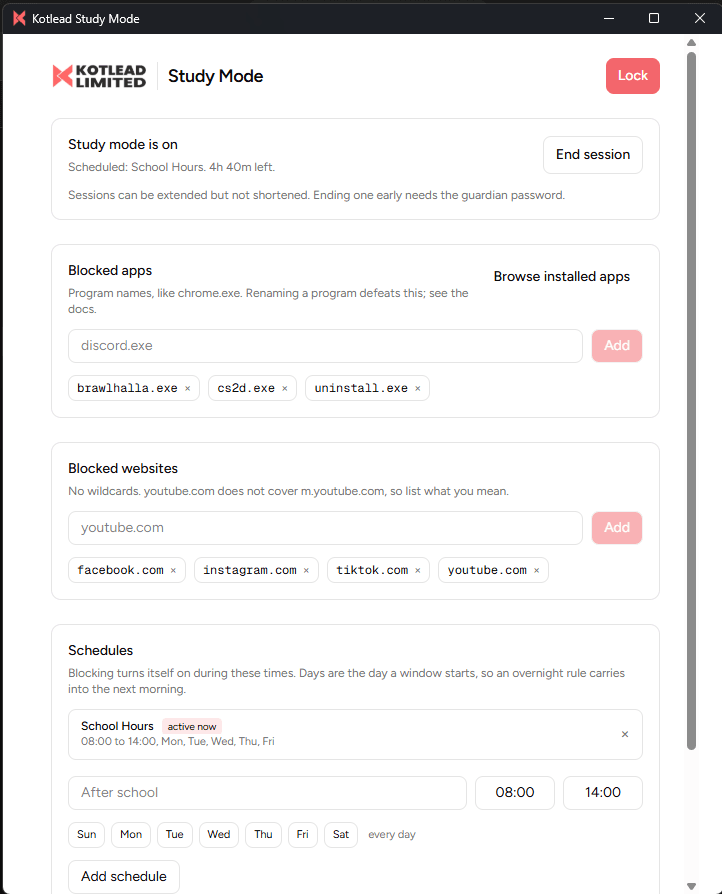
Study Mode, running on a Kotlead Laptop mid school day.
Most device programmes
stall after handover.
Skolar is designed around the two years that follow it — the part that decides whether the investment shows up in results.
- Stage one
A scoped pilot
A handful of schools, fully instrumented, over one term — so you hold real usage data before the wider decision.
- Stage two
Rollout and training
Devices arrive imaged and enrolled in KDMS. Kotlead Academy trains the teachers who have to live with them.
- Stage three
Reporting that holds up
Completion, practice scores and study hours roll up by school, LGA and state for ministry and sponsor review.
Courses live on the platform through the GetBundi partnership.
Core modules — AI tutor, CBT simulator, skills academy and admin suite — shipping as one system.
Showed the Kotlead Laptop at Port Harcourt Tech Expo, with follow-ups from NDDC, Renaissance Africa Energy and GITEX.
Organisations we build for
Partners
Seven years of
building for
Nigerian schools.
Kotlead started in 2019 in Port Harcourt, writing software for businesses, schools and government agencies. The same problem kept surfacing: devices arrived, connectivity didn't, and the learning stopped there.
So we built the whole stack ourselves — the platform, the on-device AI, the exam engine, the laptop, and the management layer behind them. Skolar is what that became. RC 7071109.
Questions we get
from procurement.
What actually still works with no internet at the school?+
All of it. Course videos and materials, the CBT question bank, scoring and analytics, and the InnovAI tutor all run from storage on the laptop. A connection is only needed to pull new content or send usage reports back.
How do we update content across thousands of devices?+
Through KDMS and our over-the-air update service. You publish a course pack, question set or app update centrally; devices collect it the next time they reach any network — school Wi-Fi, a router at the LGA office, or a technician's hotspot during a routine visit.
Can we see whether students are actually using it?+
Yes. Teacher and administrator dashboards report lesson completion, practice attempts, scores and study hours, and roll up by school, local government or state for sponsor reporting.
Do you supply the hardware, or only the software?+
Both. Skolar ships pre-installed on the Kotlead Laptop, which we specify and supply. It also runs as a web application if you already have devices — we'll tell you honestly whether your existing fleet can carry the offline AI model.
How is pricing structured?+
Per deployment. Device volume, licensing term, training and support all move the number, so we quote against your programme rather than publishing a list price. Send us the school count and timeline and we'll come back with figures.
Where is student data kept?+
On the device by default, including every conversation with the AI tutor. Only the progress metrics your programme asks for are synced upward, and you decide what those are before rollout.
See Skolar run offline, live.
We'll walk your team through the platform, the laptop and the management layer — and answer the procurement questions this page didn't.